
A flattened record can have a low lookup count and still authorise the wrong addresses. A provider-IP change shows why additions and removals both matter.
A provider adds a new sending address
Consider a fictional provider whose SPF record initially authorises 192.0.2.10. A domain uses an include for that provider, while a manually flattened copy lists the address directly.
The provider then moves its sending service to 192.0.2.20. After DNS caches pick up the change, the ordinary include leads to the new address. The saved flattened copy still lists the old one.
| Record or sender | Before the move | After the move |
|---|---|---|
| Provider record | v=spf1 ip4:192.0.2.10 -all | v=spf1 ip4:192.0.2.20 -all |
| Manually copied record | v=spf1 ip4:192.0.2.10 -all | Unchanged |
| Message from 192.0.2.20 against the copied record | Not authorised | Still not authorised |
The copied record has no lookup-producing terms, yet it no longer describes the intended sender. Low lookup counts and current authorisation are separate requirements. These reserved addresses illustrate the mechanism; they are not a provider's real records.
A copied address list can fall behind
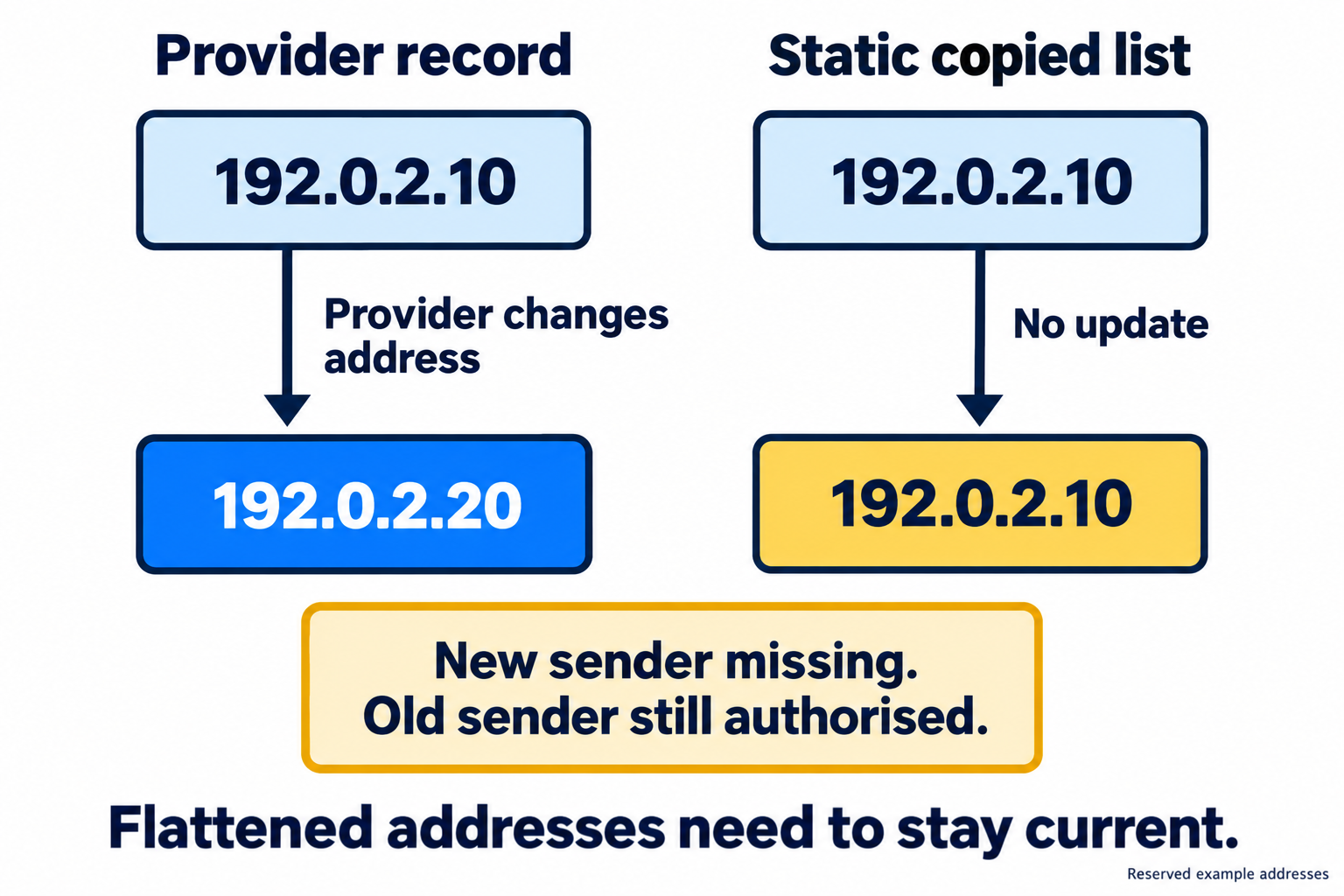
Read the diagram as text
- Initially the provider and the manually copied record both authorise 192.0.2.10.
- The provider moves to 192.0.2.20 and removes 192.0.2.10.
- The static copy remains unchanged: it still authorises the old address and omits the new one.
- Automatic flattening needs to follow both additions and removals.
Removed addresses matter too
The stale copy continues authorising 192.0.2.10 after the provider removes it. Checking only whether the new address was added misses that half of the change.
An automatic flattener needs to follow additions and removals, validate the result and publish the updated list. DNS caching still means receivers may temporarily use an older answer. The DNS propagation checker helps inspect which TXT answers locations currently see, but does not inspect the flattener's internal refresh jobs.
A provider update is different from retiring a service
If the business stops using this provider altogether, continuing to follow its records would keep authorising it. Automatic refresh cannot infer that the contract ended or the application was switched off.
The business needs to remove the service from its intended senders. The email service discovery worksheet helps record who owns that decision.
Provider guidance still matters
Microsoft advises against flattening its Microsoft 365 SPF include because the sending addresses change frequently. Automatic updates do not turn that advice into an endorsement. Microsoft's SPF guidance
The flattening guide covers supported rules, updates and validation. A different problem, where the provider adds nested references without changing your record, is explained in why SPF can fail without a local DNS change.
Sources and further reading
Sources reviewed 12 September 2026.