
Email status labels describe different stages of delivery. A server can accept a message without proving it reached the intended person’s inbox.
An email marked “delivered” can still be missing from the recipient’s inbox. That status usually records a successful handover to their email service. What happens after the handover is a separate question.
“Sent” is less specific. Its meaning depends on the application displaying it.
One message, several steps
A message can move through an application, an outgoing email service, a receiving server and a mailbox before anyone reads it. Each system can report on its own part of that journey.
SendGrid, for example, records “processed” when a message is ready for delivery and “delivered” when the receiving server accepts it. Another application might display “sent” once it has passed the message to its outgoing service. SendGrid’s event reference
The label becomes useful when you know which step it describes.
Accepted does not mean in the inbox
Under the email delivery standard, a server that accepts a message takes responsibility for delivering it or reporting a subsequent failure. That acceptance is not a receipt from the person you intended to contact. SMTP standard, section 6.1
The accepting server may be a security gateway in front of the mailbox. The message could then be quarantined, filtered into junk or moved by a mailbox rule.
An address can also be valid but belong to the wrong person. Successful delivery to a mistyped address proves nothing about delivery to the intended recipient.
Accepted by the receiving service is one step
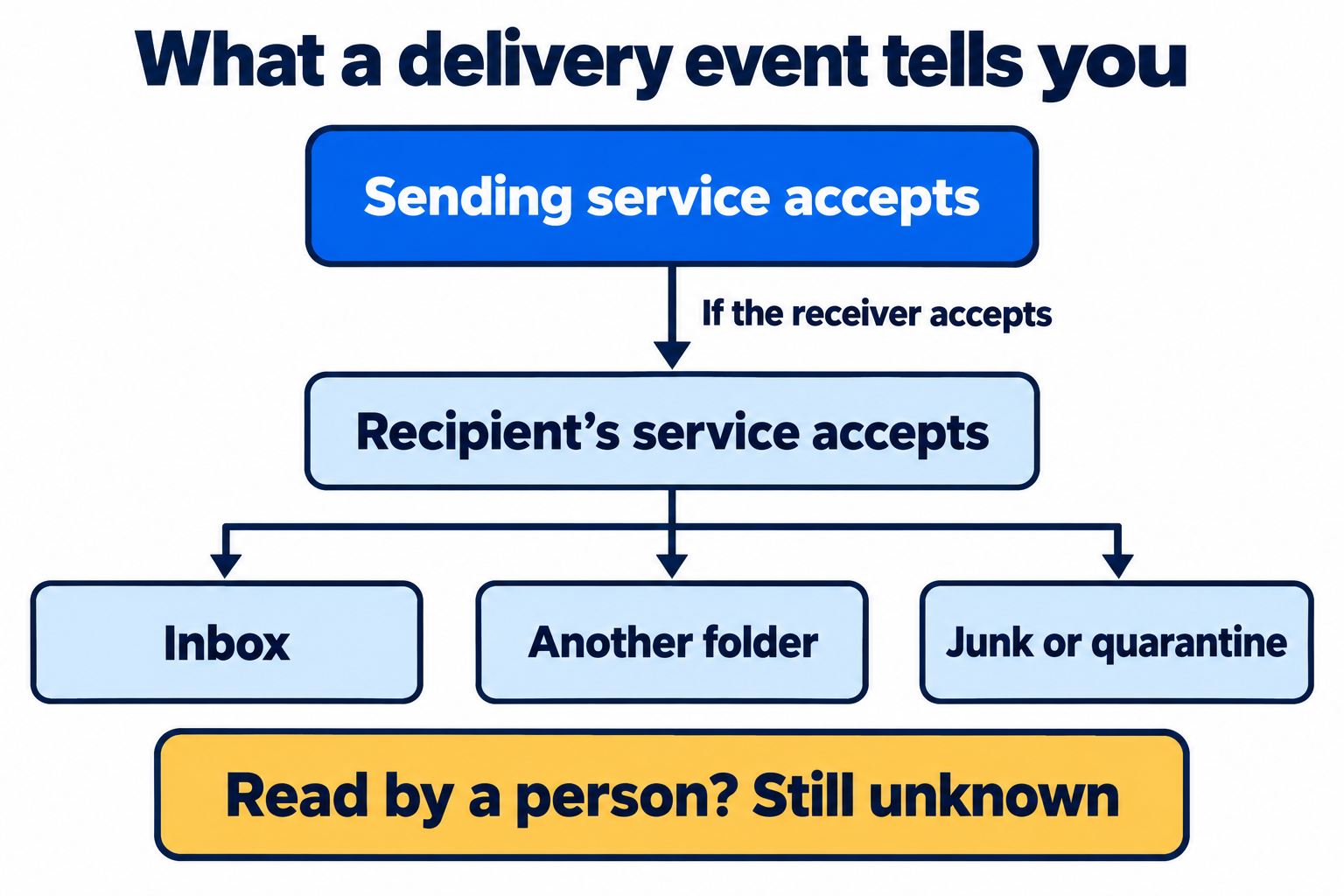
Read the diagram as text
- The sending service accepts the message for delivery.
- If the recipient's service accepts it, responsibility passes to that service.
- The recipient's service can place the message in an inbox, another folder, junk or quarantine.
- None of these handovers establishes that someone read the message.
Use the last confirmed event to choose the next step
| Last confirmed event | Where to look next |
|---|---|
| The application created the message | Check whether its sending service accepted the message. |
| The sending service accepted it | Look for a later delivery, deferral or rejection response for the same recipient. |
| The receiving server accepted it | Ask the recipient's administrator to check gateway logs, quarantine and mailbox handling. |
| The receiving server rejected it | Read the exact SMTP response and investigate the cause it reports. |
A useful handover is specific. A fictional example is: “Recipient alex@example.net; 12 September 2026, 09:03 UTC; Message-ID <order-1042@example.com>; receiver mx.example.net accepted with 250 2.0.0.” The receiving administrator can search for that event. A screenshot saying “sent” gives them much less to work with.
Keep the sending service's event ID too; it may differ from the email's Message-ID. The email header analyser can read a Message-ID from a received copy, but it cannot retrieve provider delivery logs or explain a message that never arrived on its own.
An open event is not proof of reading
Open tracking usually depends on an image being loaded. Someone can read an email with images blocked, leaving no open event.
The reverse can happen too. Apple’s Mail Privacy Protection can download remote content in the background, regardless of whether the recipient engages with the email. That can produce an open event without a person reading the message. Apple’s explanation
The last confirmed step narrows the search
If an application generated a message but its sending service never accepted it, the investigation starts before delivery. If the receiving server accepted it, the recipient’s mail administrator has a more useful starting point: the address, time and message identifier for that handover.
A delivery log cannot answer every question, but it can establish where responsibility passed from one system to the next. That is more useful than treating every “sent” label as an inbox receipt.
Sources and further reading
- Twilio SendGrid: Event Webhook Reference
- RFC 5321: Simple Mail Transfer Protocol
- Apple: Mail Privacy Protection and Privacy
Sources reviewed 12 September 2026.