
A customer receives your payment reminder but says the invoice never arrived. Both messages appear to come from your accounts team, yet the accounting software may send through a different email service.
The same address can use different email services
An invoice showing accounts@example.com might be sent by the accounting supplier's email service. A staff member writing from accounts@example.com might send through Microsoft 365. The customer sees the same From address, but the messages reach their email provider through different systems.
Some accounting products send through your existing mailbox instead. Knowing which arrangement yours uses helps explain whether a test from a staff mailbox tells you anything about the invoice's route.
The same From address can use different sending services
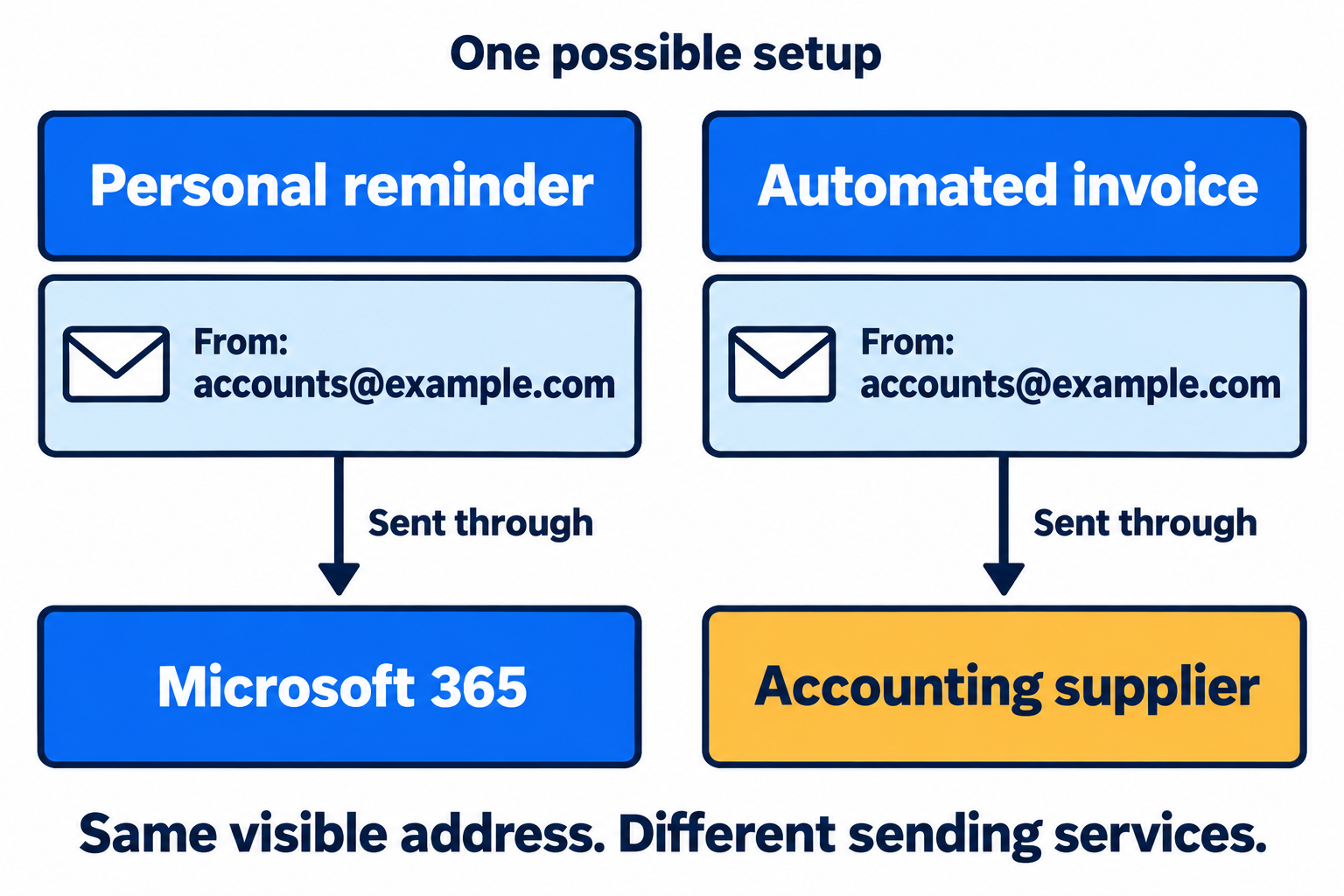
Read the diagram as text
- Both messages display accounts@example.com in the From field.
- The personal reminder is sent through the staff mailbox on Microsoft 365.
- The automated invoice is sent through the accounting supplier's email service.
- A successful staff email does not establish what happened to the invoice.
What does "sent" mean?
An accounting app can mark an invoice as "sent" when its email service accepts the message. The customer's email provider may still reject it later. Even when the receiving provider accepts it, that does not establish that it appeared in the customer's inbox.
The accounting supplier's delivery record can help distinguish those stages. A rejection response gives the supplier or IT technician something specific to investigate. Resending the invoice or testing from a staff mailbox does not provide the same evidence.
A delivery record is more useful than a resend
Consider this fictional delivery history for invoice INV-1042:
| Event | What it establishes |
|---|---|
| 09:02 UTC: invoice generated | The accounting application created the invoice. |
| 09:02 UTC: accepted by sending service; ID inv-1042-demo | The sending service took the message for delivery. |
| 09:03 UTC: recipient server returned 550 5.1.1 | This attempt was rejected because the recipient address was not recognised. It is not evidence of an SPF problem. |
Ask the accounting supplier for the exact recipient, sending time and timezone, message or delivery ID, and the recipient server's response. If the response confirms acceptance instead, the investigation moves to the receiving system's filtering and mailbox handling.
Our explanation of delivery statuses shows what each stage establishes. When a message does arrive, its full headers can also help identify the route and authentication results.
The invoice may use the supplier's SPF record
SPF checks whether a sending server is authorised for a particular domain. That domain comes from the message's technical return address, which can differ from the From address the customer sees. Microsoft explains the two addresses.
An invoice can therefore show your business's address while SPF checks the accounting supplier's domain. Amazon SES, for example, supports a provider-owned domain or a customer's custom domain for this check. If the invoice uses the supplier's domain, editing your business's SPF record will not change that SPF result.
The result for the actual invoice tells you more than a general SPF check of your business domain. Other checks also help establish whether the sender can use the visible From address; our email authentication explainer covers how these work together.
An invoice can be filtered differently from a reminder
The sending service's reputation and the message's content also affect delivery, as Google's sender guidance explains. A personal reminder and an automated invoice with a PDF or payment link can receive different treatment, even when both pass their authentication checks.
Forwarding a copy from a staff mailbox may get the invoice to the customer. That resolves the immediate need, but the accounting software's original message is still the one to investigate if future invoices are to arrive reliably.
Sources and further reading
Sources reviewed 12 September 2026.