
A website can launch successfully while business email stops working. The cause may be a DNS change bundled into the move, or a contact form that no longer has a working way to send.
What changed besides the design?
A change of layout leaves the email setup alone. A move to a new website host can go further: the project may also move DNS to another provider or replace the software that sends contact-form messages.
Those changes have different consequences. DNS records direct incoming email and let recipients check outgoing messages. A contact form has its own way of sending enquiries. Either can break while the new pages load perfectly.
The website and email do not have to move together. If the launch only changes the records that point visitors to the website, separate email services can keep their existing setup.
A website can work while an email record is missing
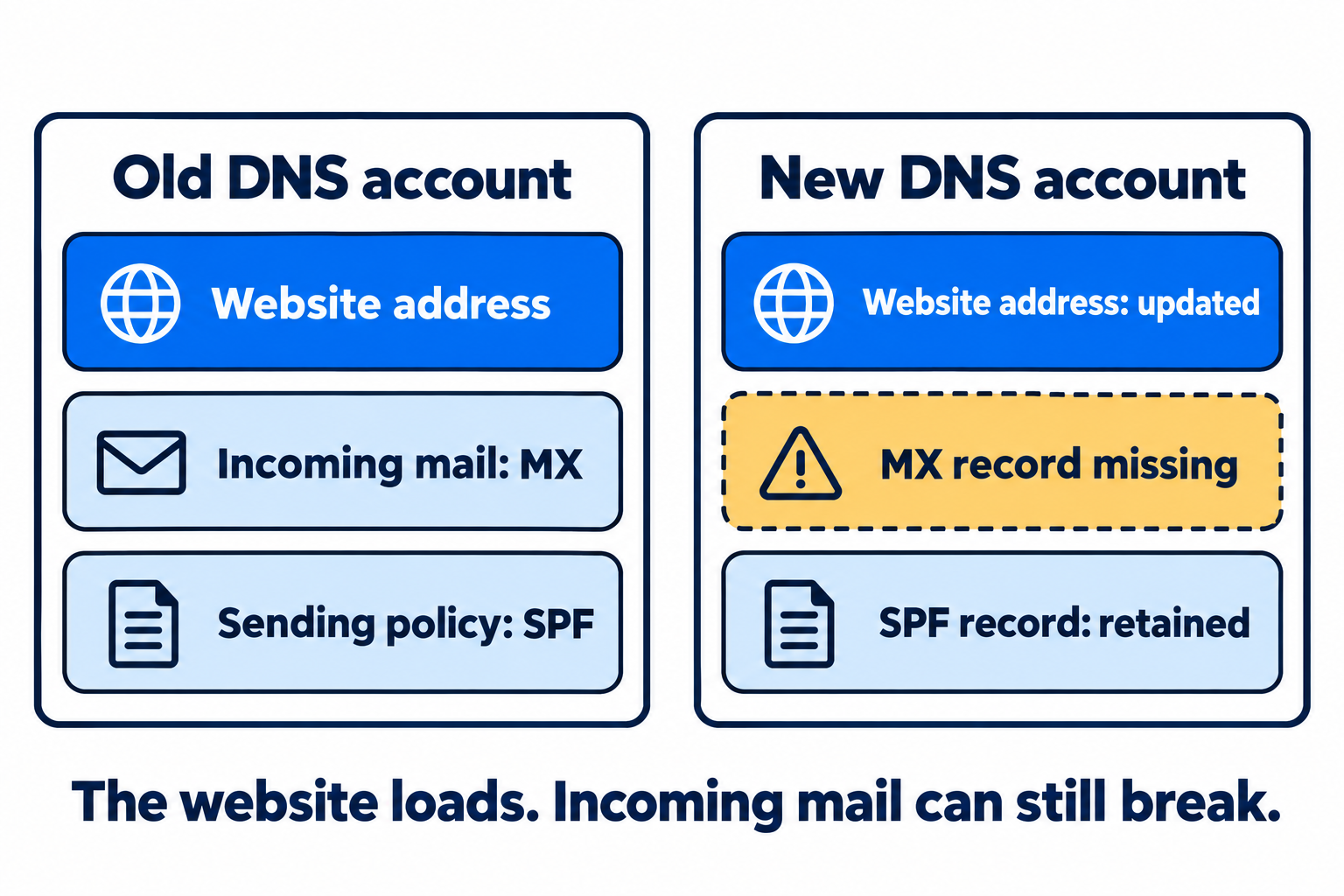
Read the diagram as text
- Before the move: DNS has a website address, an MX record for incoming mail, and an SPF record.
- After the move: the website address is updated and SPF is retained, but the MX record is missing.
- The missing MX record affects incoming mail; changing the retained SPF record would address the wrong problem.
Email records can be left in the old DNS account
After a DNS provider change takes effect, other services look in the new provider's records. Email records left in the old account no longer do their job.
An omitted MX record can disrupt incoming mail. Missing SPF or DKIM records can affect checks on outgoing messages. These are separate failures, even though both can start with the same DNS move. Cloudflare's email troubleshooting documentation describes the distinction.
An automatic import is not proof that everything came across. Cloudflare says its DNS scan can miss records, including DKIM records with less common names. The old account's actual records provide a useful comparison with the import.
The same dependency applies to SPF flattening. A domain using a flattening service still needs its DNS record pointing to that service. Leaving that reference behind disconnects it, however current the service's list of sending IP addresses may be.
What a missing record looks like
This fictional DNS move changes the website address but loses a mail record:
| Record | Old DNS account | New DNS account |
|---|---|---|
| example.com A | 192.0.2.10 | 192.0.2.20 |
| example.com MX | 10 inbound.example.net | Missing |
| example.com TXT | v=spf1 include:send.example.net -all | Same value retained |
The new website can load while incoming email fails because its MX record was omitted. Editing the retained SPF record would address the wrong problem. The names and IP addresses above are illustrative, not settings to publish.
Compare the old zone export with the new account to find omitted MX records. For SPF, DMARC and DKIM TXT records, the email DNS checker compares current answers from Google and Cloudflare with an optional expected value. It does not compare entire zone files or check MX records. A current query alone cannot tell you which records existed before the move.
A contact form has its own sending setup
A rebuilt contact form may look identical while sending through a different provider. It may also depend on credentials or mail settings that were saved only on the old website.
WordPress's mail documentation describes the sending setup a site needs, whether it uses the web server or a separate email service. Moving the pages does not establish that connection on the new host. Staff email can keep working while website notifications fail.
Whether the new form needs an SPF change depends on the service and domain it uses to send. A new web host alone is not enough reason to add another sender to the business's SPF record.
A thank-you page does not mean the email arrived
A form's confirmation page reports what happened on the website. It may appear before anyone knows whether the notification reached the business. Even a successful response from WordPress's email function does not prove receipt.
Some forms save submissions, so an enquiry can still be available even when its notification is missing. Others rely entirely on email. That difference matters when the first sign of a problem is an unusually quiet inbox.
The useful evidence at launch is specific: the email records survived a DNS move, or an enquiry from the rebuilt form reached its destination. A working homepage establishes neither.
Sources and further reading
- Cloudflare: DNS records quick scan
- Cloudflare: Troubleshooting email issues
- WordPress: Mail administration
- WordPress: wp_mail reference
Sources reviewed 12 September 2026.